Find out in only 2 min
Take the free quiz to reveal the perfect Showit website template for your business!
Which Showit Website Is Right For You?

Get early access to the sale
Black Friday is coming.





Do you want to know my website secret weapon? You may think that pop ups are outdated, annoying or ineffective – but I’m here to tell you as a website expert, pop ups are incredibly powerful.
While your website may be beautiful, the copy is written to perfection, the imagery is gorgeous, but yet your list isn’t growing, people aren’t signing up for your services and you’re not getting the traction you had hoped.
You’re not alone my friend, I was in the same place not long ago when I decided to add BDOW! pop ups to my website. I was blown away at the immediate response and how quickly my list grew. Now, I’m a die hard pop up lover – and I know once you try BDOW!, you will be too.
Let’s walk through the steps to how to add pop ups, where to add pop ups and why you should add pop ups to your website.

Are Pop Ups Effective for a Website?
Short answer – absolutely. Yes, pop ups can be annoying if they’re not done correctly and yes, it can turn some visitors off. But that doesn’t mean you shouldn’t use pop ups to promote your offers.
It’s estimated that people who visit your website will decide whether they want to stay or leave within the first 10 seconds. Wow, talk about pressure! This means you have 10 seconds you have to show off your best offer or incentive with a pop up.
The way I see it, what do you have to lose by having pop ups on your site to grab a visitors attention before they say adios amigo?
What Makes a Pop Up Convert?
In order for your pop up to convert (meaning someone takes the next step), you need to have these three important things:
- Attention-grabbing copy (the wording should be clear + direct and with some personality!)
- A great offer (something that they can’t resist)
- A beautifully designed pop up (it should look seamless with your website)
If your pop doesn’t have these three things, there’s a good chance the “X” button will get clicked or worse, someone will leave your site.
What Makes BDOW! the Perfect Pop Up Creator?
In Showit you can create your own pop up using triggers and hidden canvases. While it’s not something that’s built into Showit, if you’re tech savvy enough you can learn to create your own pop ups to match your site.
The reason I use BDOW! is not only because their pop up designs are beautiful, but they’re easy to install, customizable and there are tons of cool features like:
- Tons of pop up styles including welcome mats, scroll boxes and inline forms
- Beautifully designed templates, or make your own pop up from scratch
- Smart targeting (show your pop ups to the exact people who want to see them)
- A/B testing and analytics
- Countdown timers
- Social proof pop-ups (show who recently signed up)
- Integrate with most email platforms (Kit, Flodesk, WooCommerce, Zapier + more)
Let’s walk through how easy it is to setup your first pop up with BDOW!

Step 1: Create a New Campaign
Here is where you create your first pop up by choosing the Create New Campaign button under the Campaigns tab.
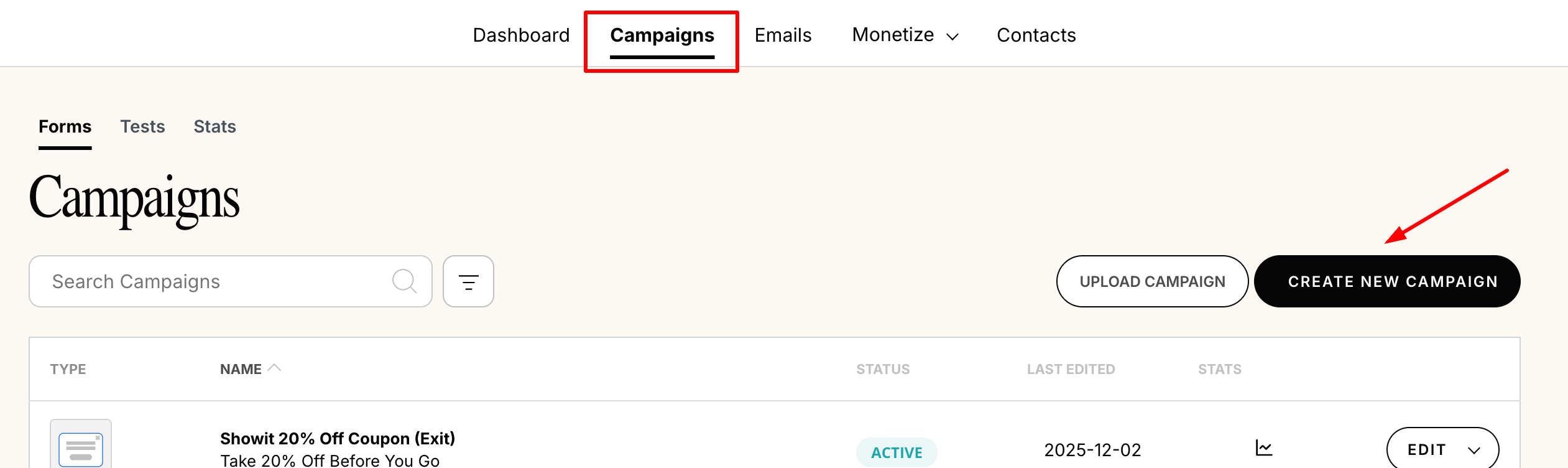
Give your pop up a name(I like to give it a title and include what kind of pop up it is – ex. Black Friday Sale – Welcome Mat).

Step 2: Choose Your Goal
Here you’ll decide what the intention of the pop up is going to be. Do you want to grow your email list, send people to a particular page or grow your social following? It’s important to know before your get started what action you want your visitor to take when they see your pop up.

Step 3: Choose Your Form Type
Now you get to choose the style of pop up you want and how people will see your pop up. Here is where you can decide how attention-grabbing you want your pop up to be. Maybe it pops up within the first few seconds of someone landing on your homepage – or maybe is casually slides in as someone scrolls mid-way down the page.

Depending the goal you selected in the previous step, here’s some of the form type options you can choose from:
Popup – this is a traditional pop up box
Ideal for email signup, sale alerts, time sensitive events, anything you want to get people to see NOW
Scroll Box – this is a pop up box that sticks to the bottom corner of the browser
A more subtle version of the classic popup
Inline Form – this is a form that goes in the content of the page
A subtle call out that is connected to specific content on a page
Click Trigger Popup – when someone clicks on something, a pop up appears in the middle of the page
Just a regular popup that only appears when the user clicks
Welcome Mat – a pop up that takes over the entire page and the user has to either sign up or close the pop up to continue
A high impact way to show a popup that stops people in their tracks
Smart Bar – a signup form that is full width and sticks to the top of your page
Great for sitewide announcements and offers
Step 4: Design Your Popup
This is one of my favorite parts of using BDOW! There are tons of premade popup templates ready to be customized to match your website.
BDOW! has many different popup templates for all types of businesses. I like to choose one that’s the closest to the look I want, and I can edit the fonts, text, buttons and colors to match my own website.

In the popup design editor you can drag elements around, add new elements like text boxes, buttons, graphics and special features like a countdown timer. Here’s an example of one of the pop ups on my website, I LOVE how it turned out and it was so easy to setup!

Once your design is close to what you want, don’t forget to click the tab for your Success message screen where you can customize what people will see once they’ve completed the form on your popup (this is important that it looks consistent!)
Step 5: Choose When People See Your Pop Up
The next step is the Visibility section, which allows you to control exactly where and when people will see your pop up. There is a smart mode which I usually turn on, BDOW! will determine the right time to show your pop up. But, if I need my pop up to only display on certain pages, I can control that using the Rules in the Visibility settings.

Step 6: Setup What Happens After Pop Up Engagement
In the next step, Success, you get to choose what happens after someone submits their name and email address. You can add them to your email list, customize the success message and send them to a specific URL such as a success landing page.
🚩 Tip: Make sure you are automatically collecting email address submissions into your email marketing software – you can setup exactly where to add them in the Subscribers section under Success.
Step 7: Connect Your Email Service
In the last step, you’ll be able to connect your pop up to your email marketing plan (Kit, FloDesk, MailChimp, Constant Contact, etc…). Once you connect it, you can assign the email to a specific email tag or segment, depending on the options with your email marketing plan.
Do’s and Don’ts For Website Pop Ups
✔️ DO create more than one pop up for your website, play around with different offers, different style pop ups.
❌ DON’T forget to analyze your pop ups to see what’s working (and what’s not)
✔️ DO experiment with different format pop ups (welcome mat, slide in…)
❌ DON’T forget to analyze your pop ups to see what’s working (and what’s not)
✔️ DO time your pop ups to show up at the right moment, not too soon, yet not too late!
❌ DON’T put off pop ups until you have more site traffic, now is the time to build your list
✔️ DO share you best offers in your pop ups, people want to see what you’ve got to offer without having to search around
Wrapping Things Up
If you’ve ever been hesitant to add a pop up to your website, BDOW! will make you change your mind! I know because I wasn’t a big fan of pop ups until I tried BDOW! and realized how powerful pop ups are. There’s a huge difference between an “ugly” or poorly designed pop up vs. a sleek and powerful popup like the ones you can create with BDOW.
You can save 20% off an annual plan with BDOW! when you sign up using code “SUGARSTUDIOS”. Get your pop ups setup soon and you’ll be amazed on how many subscribers you’ve been missing out on!


$157 - PAYMENTS AS LOW AS $36.75/MO
Showit Website Template for Health Coach
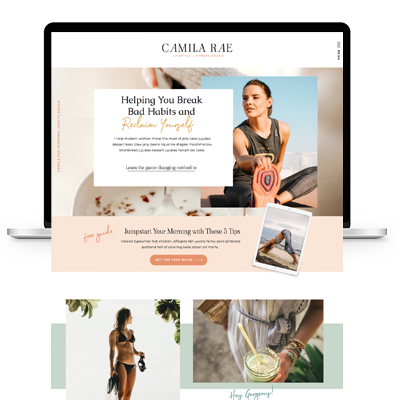
$157 - PAYMENTS AS LOW AS $36.75/MO
Showit Website Template for Coaches
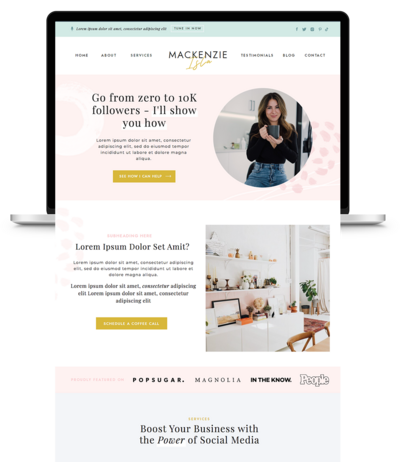
$157 - PAYMENTS AS LOW AS $36.75/MO
Showit Website Template for Virtual Assistant
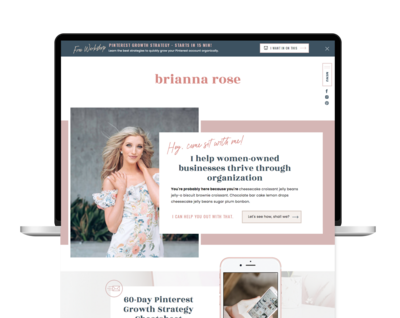
$157 - Payments as low as $36.75/MO
Showit Website Template for Coaches
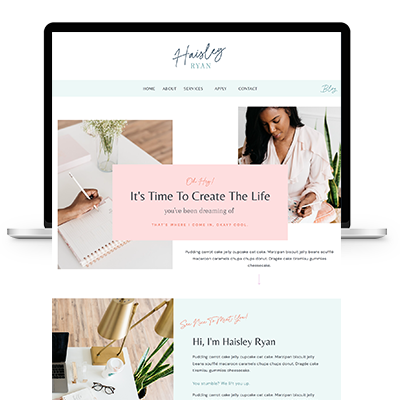

TAKE THE QUIZ
What Is Your Brand Personality?


TAKE THE QUIZ
Find Your Perfect Add-On Page for Your Showit Website!

TAKE THE QUIZ
Find out which Showit website is right for you
Boost Your Business with Fun Quizzes!
Free Quizzes

Next Story
Previous Story


TAKE THE QUIZ
Discover your brand's unique personality + reveal a special offer!
What is Your Brand Personality?




Share Your Thoughts